How it works
Four areas that keep your clients' automations running smoothly.
Flip any card to see what's includedMonitoring
Monitoring
Flip back to see the mockup
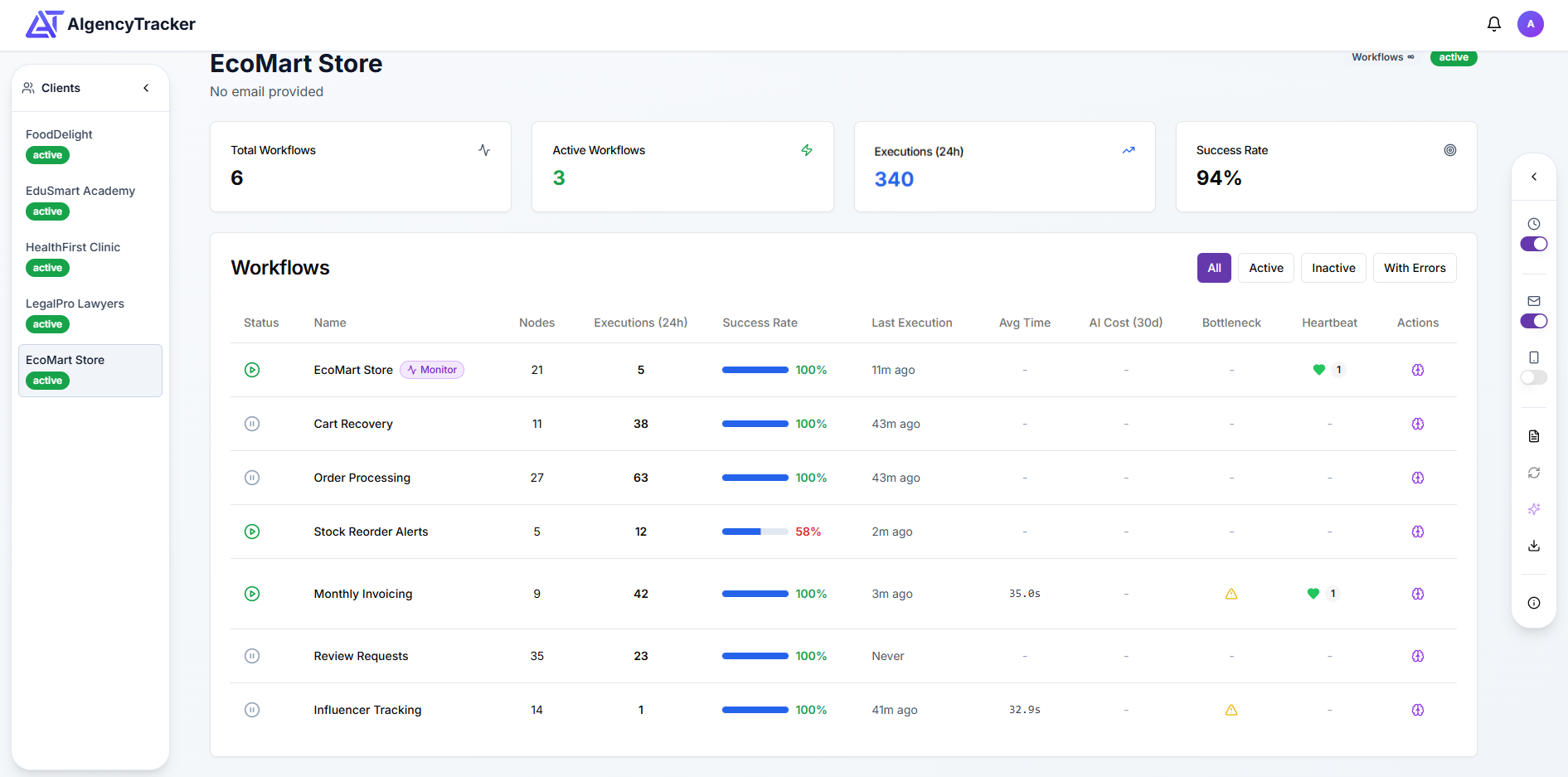
Real-time workflow status
See the status of every workflow across all your clients. Success rates, execution times, and failure counts updated continuously.
Heartbeat monitoring
Automated checks verify that scheduled workflows keep running. Get alerted immediately if a workflow stops executing on schedule.
Automatic sync
Workflow data syncs automatically from all your clients' n8n instances. No manual refreshing needed.
Click anywhere to flip back
Alerts
Alerts
Flip back to see the mockup
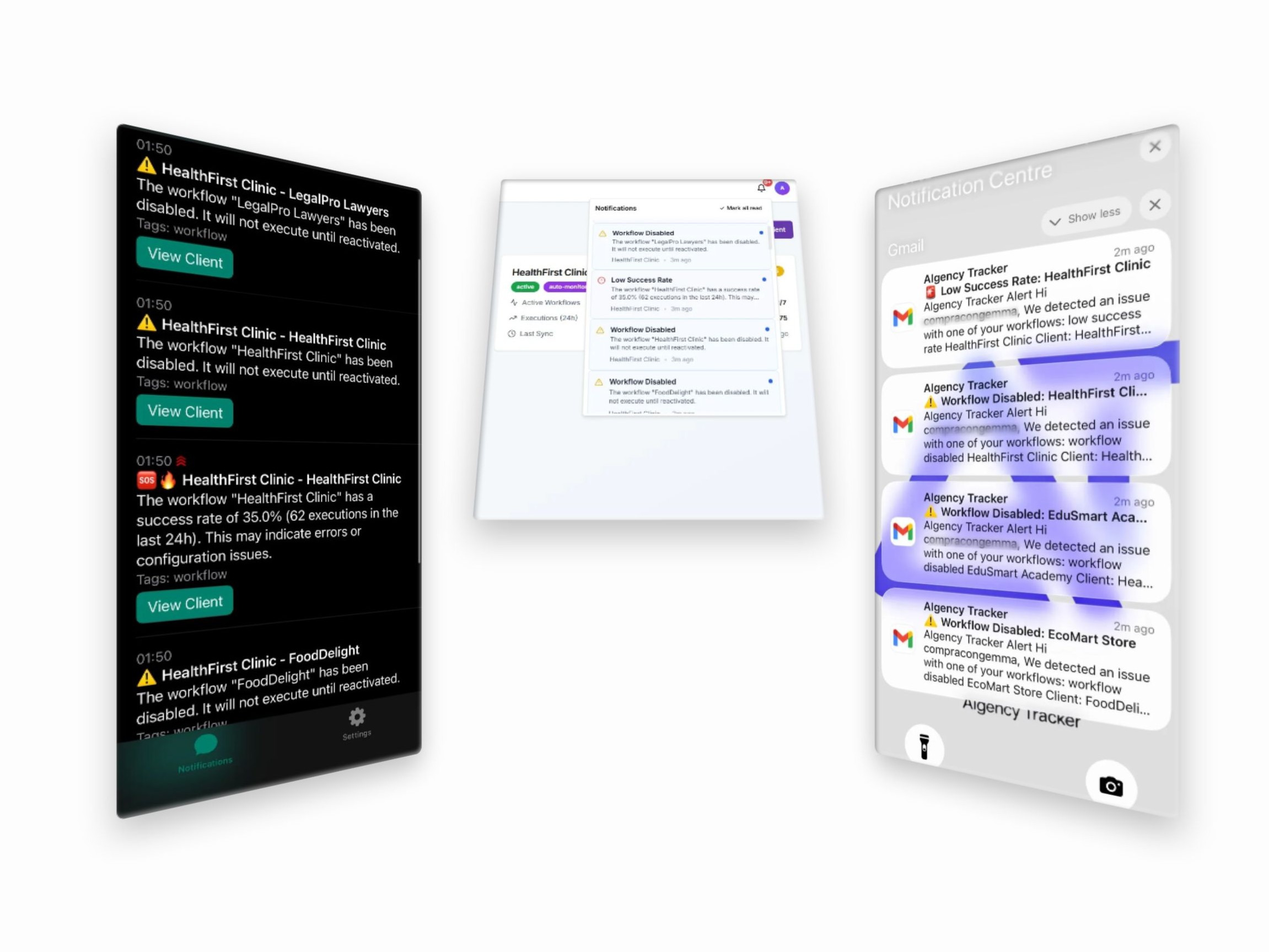
Instant failure alerts
Email and phone notifications when a workflow fails or a heartbeat is missed. Configurable per client and per event type.
Per-client settings
Different alert thresholds and notification preferences for each client. Quiet hours, escalation rules, and priority levels.
Digest emails
SoonDaily or weekly summaries of workflow activity sent automatically to you or your clients.
Click anywhere to flip back
Client management
Client management
Flip back to see the mockup
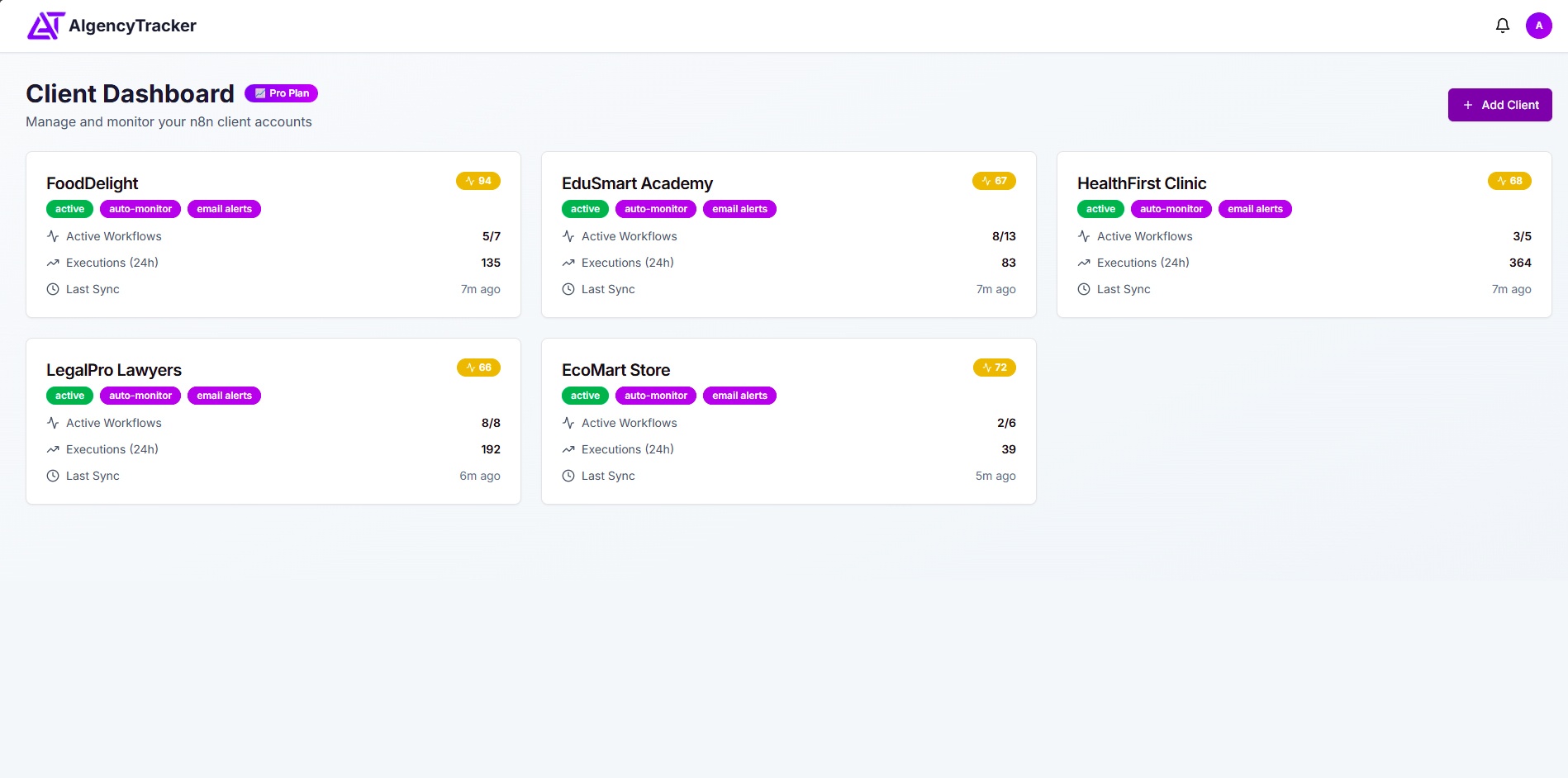
Unified dashboard
All your clients' n8n accounts in one place. Switch between them instantly without juggling logins or browser tabs.
AES-256 encryption
All API keys are encrypted at rest using industry-standard AES-256. Your clients' credentials are never exposed.
Cloud & self-hosted support
Works with n8n.cloud and private instances behind firewalls. No need to expose internal servers to the internet.
Team access controls
SoonGrant teammates access with granular permissions. Control who can see which clients without sharing credentials.
Click anywhere to flip back
Reports
Reports
Flip back to see the mockup
Performance insights
Execution success rates, average run times, failure patterns, and workflow efficiency metrics per client.
Trend tracking
Monitor performance over time. Spot degradation early and identify which workflows need attention before clients notice.
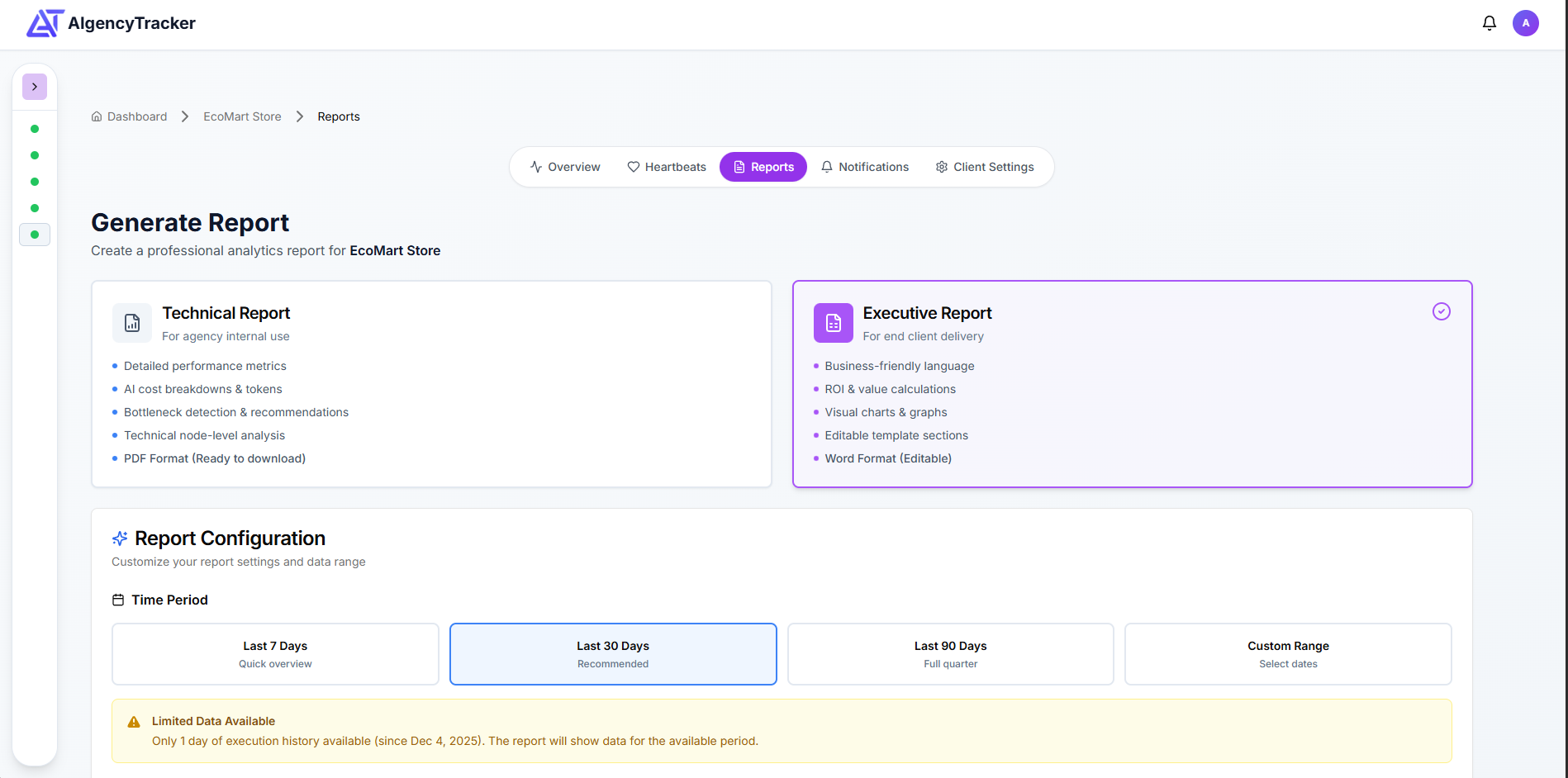
One-click PDF reports
Generate professional client reports in PDF or DOCX format instantly. Schedule them to send automatically every week or month.
Multi-format export
SoonExport data as PDF, DOCX, CSV, or JSON to share with clients or import into other tools.
Click anywhere to flip back